What are Assets?
Assets are files you can upload to customize your profile page. At the moment, you can upload an avatar, a background (static or animated), audio files, and cursors. This guide explains where to find the upload tools and how to add assets to your profile.
Where can I upload Assets?
All asset uploads are centralized in the Dashboard on the Customize Page. At the top of the page you'll see four tiles that indicate the different asset types and what each slot is used for.
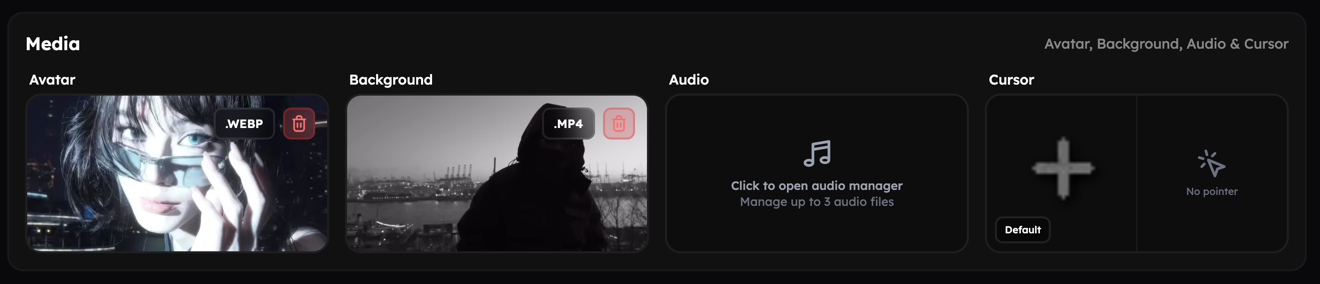 asset tiles
For the Avatar and Video Background slots you can simply drag & drop files directly into the tile. For Audio and Cursor assets, open the corresponding manager modal first — from there you can drag & drop files or click to open your system file picker and select files manually.
Where can I find Assets to upload?
Where you source your assets is up to you. For videos, popular sources include YouTube and TikTok; for images, Pinterest can be a useful place to look. You can also use our Asset Manager to browse and reuse assets uploaded by other users.
We are not affiliated with any of the platforms mentioned above; these are only suggestions.