This guide assumes you already have a Discord account. If not, sign up at discord.com.
cops.bio Settings
On the Settings page, scroll down to the "Account Security" section. There you will find the Connect Discord option.
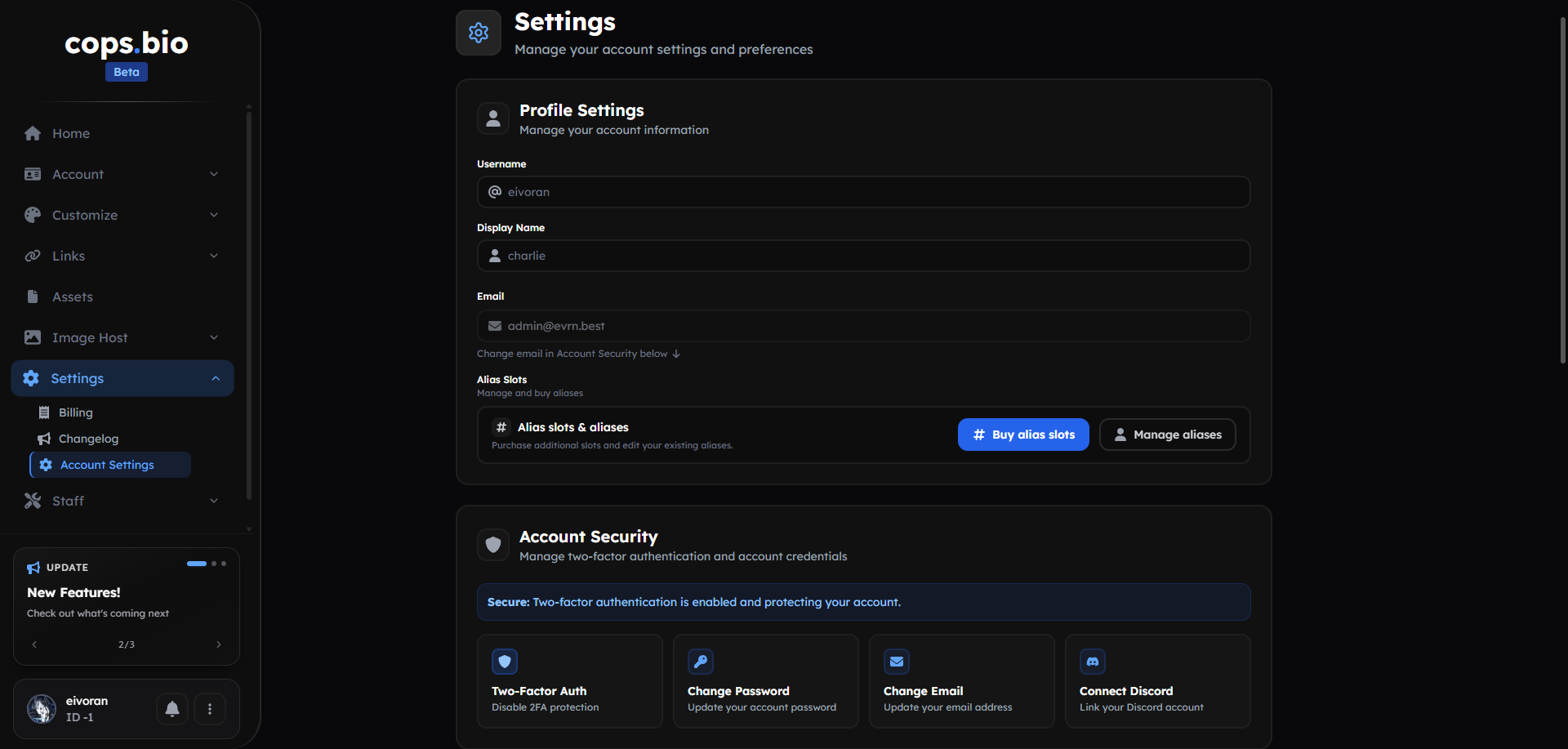 The Account Section
Authorize the connection
After clicking the button, Discord will prompt you to connect your account with the cops.bio - auth application.
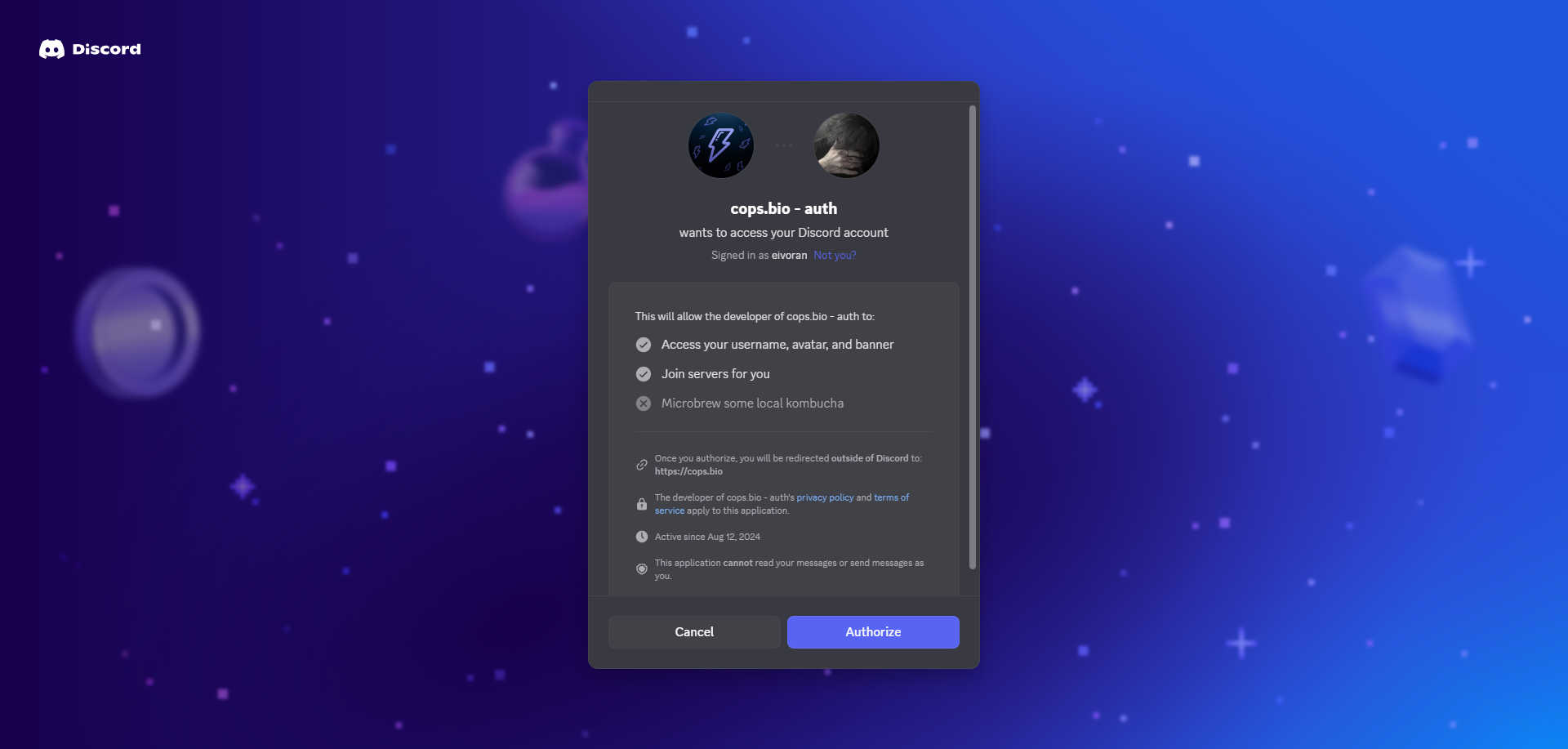 Discord authorization prompt
The 'Join servers for you'-Option is only used to automatically pull your discord account on our discord server for the Discord Presence feature. We will never abuse this option and pull you onto a server that is not the official cops.bio Discord server. If you want to connect your Discord without having to accept this option, use the link: here.
That’s it!
After you click "Authorize", you’ll be redirected back to the cops.bio settings page, where you should now see "Disconnect Discord" instead of "Connect Discord".
How do I unlink my Discord?
If you want to remove your Discord—for example, to switch accounts—click the "Disconnect Discord" button and start the process again from the beginning.